CBCT Reporting Level 1 — Online Course · self-paced · start today
New £195+VAT 5 hrs verifiable CPD Learn at your own pace
Start the course

Search 360 Visualise

↑ ↓ navigate ↵ open ESC close ⌘K shortcut
Get in touch
We'll get back to you within a few hours
Enquiry Form
Carestream CS 9600 · flagship CBCT Up to 16 × 17 cm

Large field of view CBCT · 3D face scan · 75 micron detail

Carestream CS 9600 CBCT: see the whole patient before you rebuild the whole mouth

Full-arch and full-mouth cases need more than a small scan. The CS 9600 gives you both arches, the sinuses and the face in one visit, with enough detail left over for a single root canal.

Every CS 9600 from 360 Visualise includes

Installation

By your own field engineer

Training day

Led by a Registered Dental Nurse

2-year warranty

Parts and labour

Best Price Guaranteed

Against any like-for-like UK quote

Want to see one scanning? Book a demo at our own scanning centre.

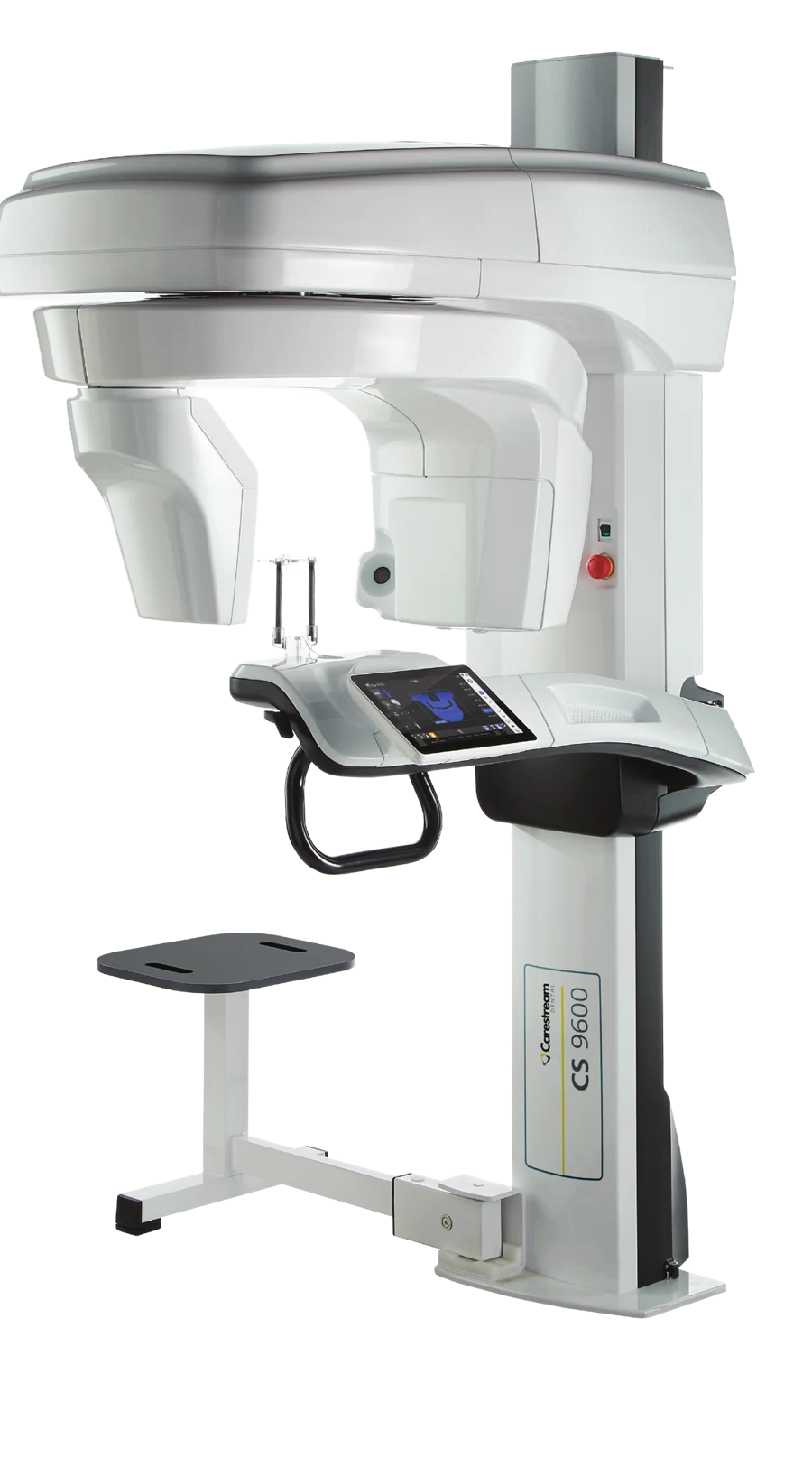
Carestream CS 9600 CBCT scanner
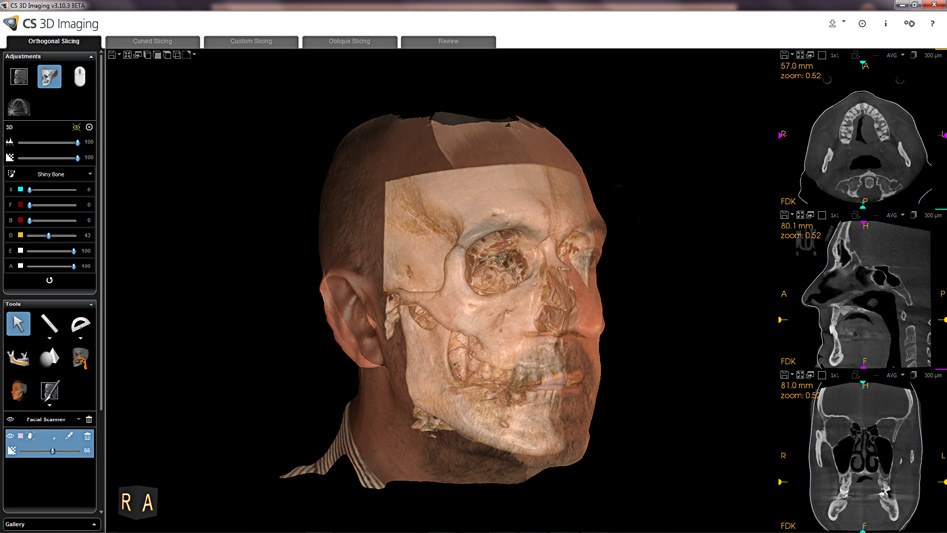
CS Face Scan on the Carestream CS 9600: a 3D facial image overlaid on the CBCT skull

CS Face Scan: the patient’s face overlaid on their CBCT.

Full-mouth reconstruction

A new smile is planned from the face inwards.

More dentists now restore whole arches. That work starts with where the teeth should sit in the face, then works back to the bone. A small field of view cannot show you that.

  • Both arches in one scan. A 16 × 10 cm volume covers the full arches and the sinuses.
  • The face as well as the bone. Optional CS Face Scan adds a realistic 3D face to the CBCT.
  • A plan your patient can see. Show them their own face with the planned result, not a grey slice.
  • 16 × 17cm largest field of view
  • 75 µmSmallest voxel size
  • 120 kVOptional, with Stellar filtration
  • 5-in-1Pan, CBCT, ceph, face and model scan

Full-arch implant planning

From scan to full-arch plan in four steps.

  1. ScanOne visit captures the CBCT and, if you add it, the face.
  2. MatchThe software merges your intraoral scan with the CBCT automatically. It works with leading third-party scanners.
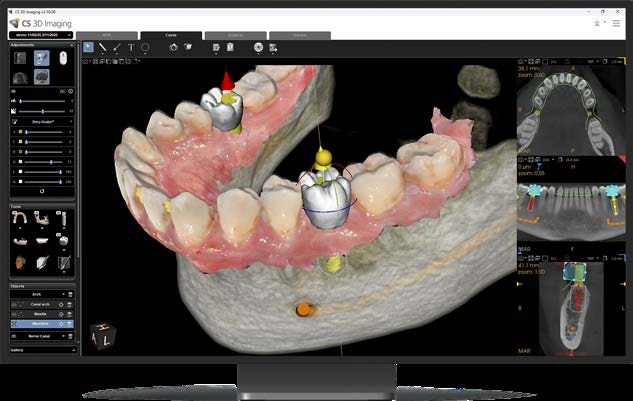
  3. PlanSet the teeth first. CS 3D Imaging Premium then proposes the implant positions with AI, and you adjust them.
  4. ShowYour patient sees the plan on their own anatomy before they say yes.

See it done: Dr Kunal Shah’s AI planning case

Full-arch implant planning with AI in CS 3D Imaging software, showing virtual teeth and implants on a CBCT model

Virtual teeth and implants planned on the CBCT model.

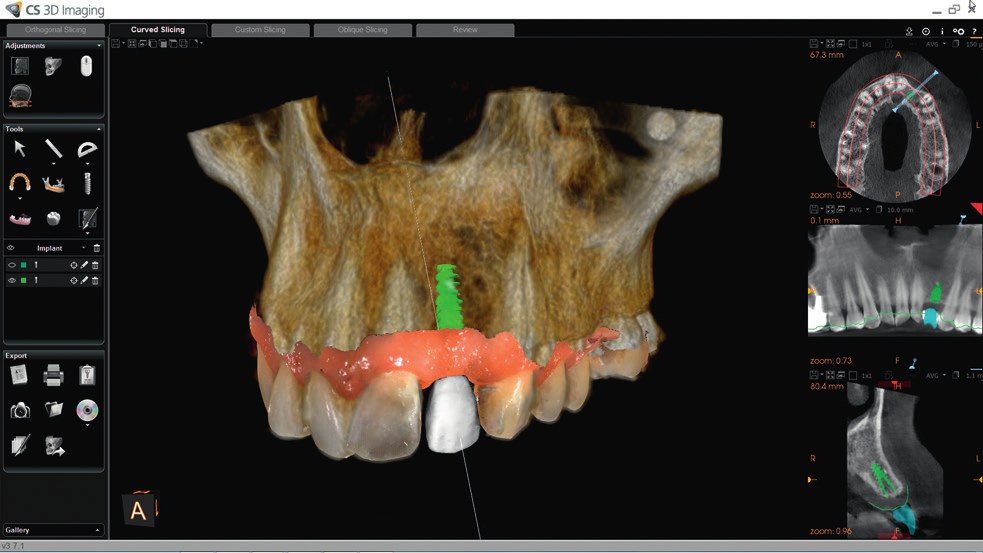
Crown-first implant planning in CS 3D Imaging: a virtual crown and implant placed on a CBCT 3D render

Proof

What the CS 9600 finds, and who relies on it.

Two clinical cases and one UK implant group. All three use this machine.

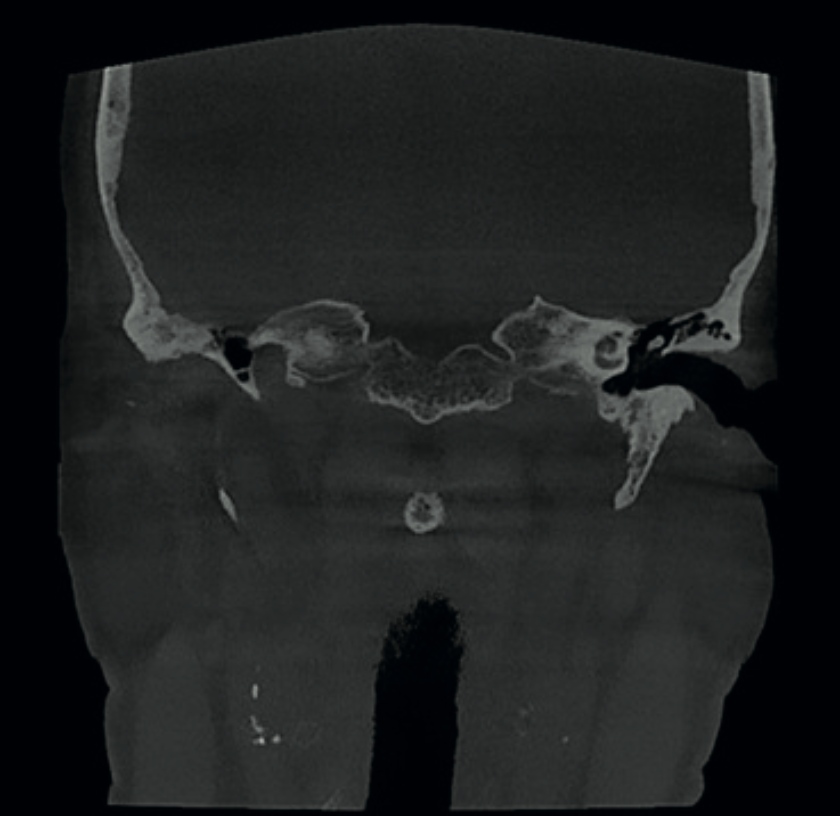
Coronal CS 9600 CBCT image showing calcified plaques in the carotid arteries

16 × 17 cm · Implant planning

A routine implant scan. Five findings nobody was looking for.

A 65-year-old was scanned before implants. The large volume also showed calcified plaques in both carotid arteries, a sign of stroke risk, and four other findings.

Read Prof. Różyło-Kalinowska’s case →
75 microns · Diagnosis · Video

Pain with no cause. Solved at 75 microns.

A 29-year-old had front-tooth pain that an examination and a periapical could not explain. A high-resolution CS 9600 scan showed a rare Type III dens invaginatus.

Read Dr Patney’s case →
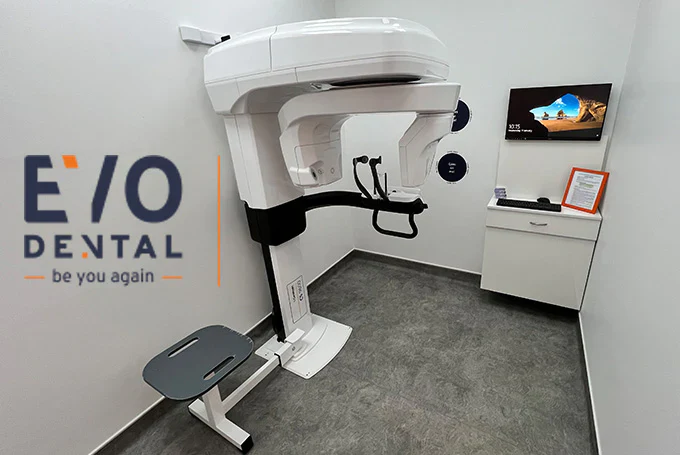
Evo Dental, a full-arch implant group using Carestream CS 9600 CBCT at four sites

Full-arch implants · Four sites

Evo Dental replaces whole arches. They chose the CS 9600 four times.

Evo Dental treats patients who need total tooth replacement. We installed CS 9600 units in Liverpool, London, Solihull and Leeds, and we keep them running.

Read the Evo Dental story →

“The clarity and precision of the images have surpassed anything I have encountered before.”

Dr Rohan Jagtap, University of Mississippi Medical Center, quoted by Carestream Dental

Right first time

A big machine that is easy to get right.

A retake costs you time and costs your patient dose. The CS 9600 is built to avoid them.

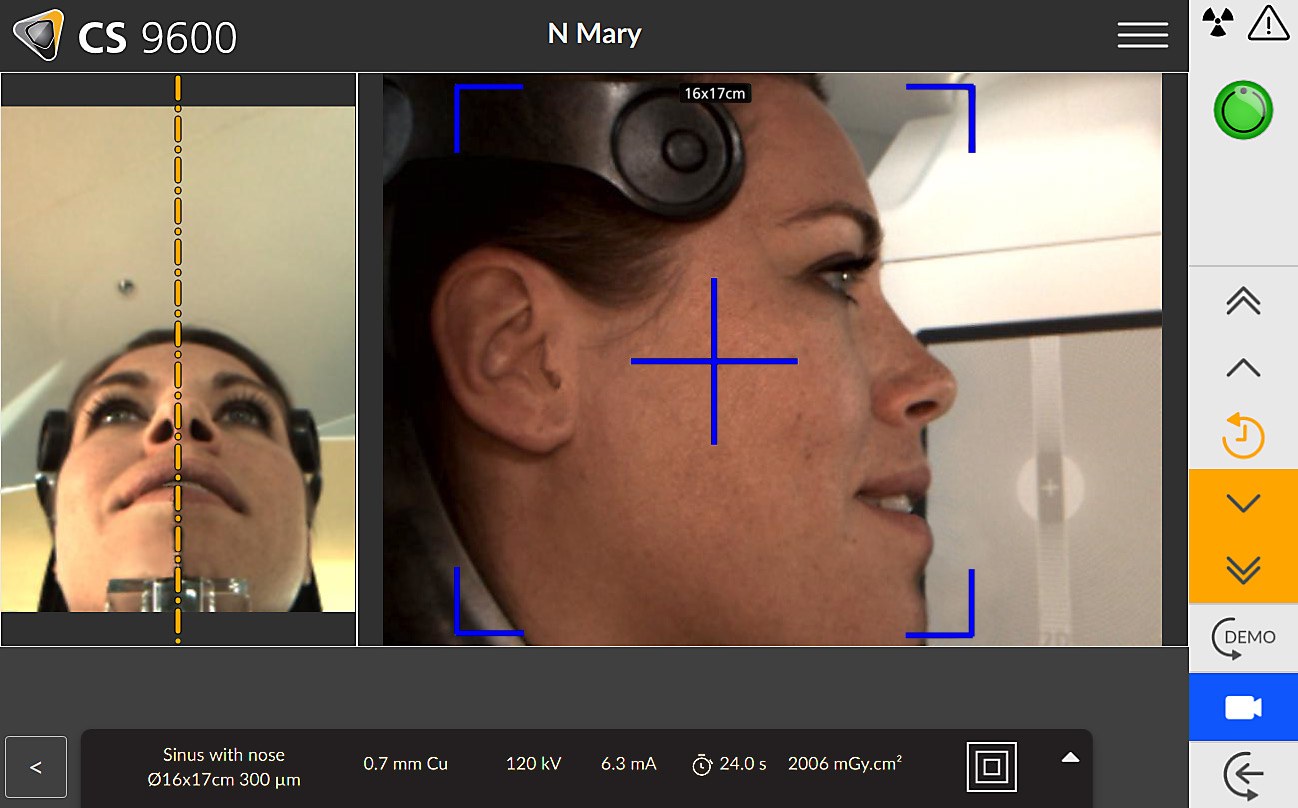
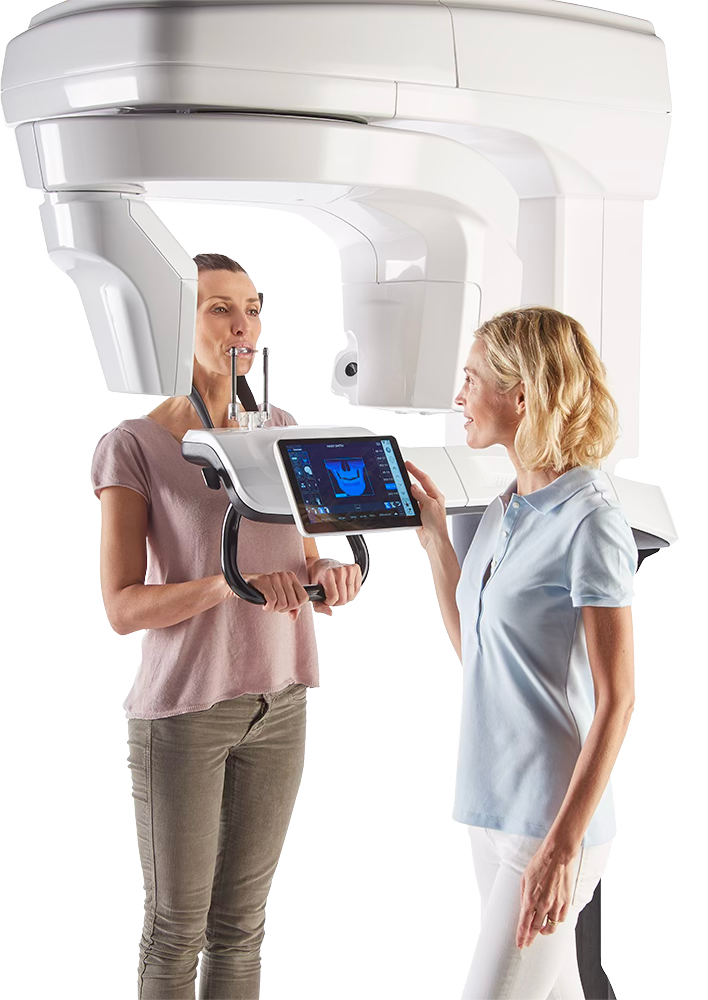
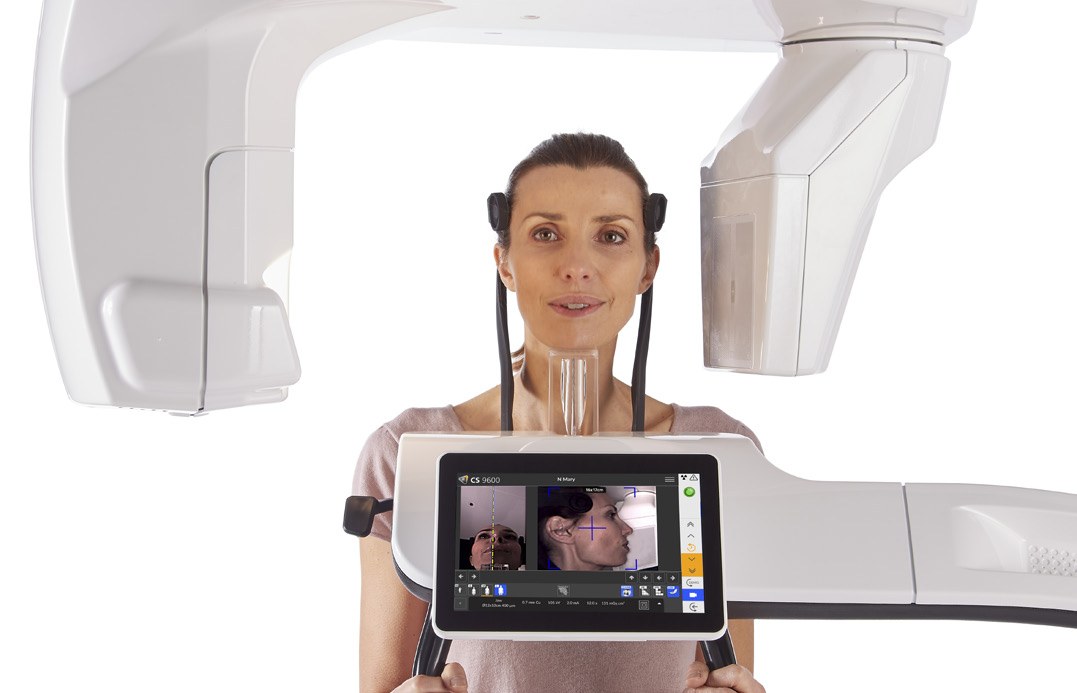
Operator positioning a patient in the Carestream CS 9600 using the live camera view on the touch screen

AI positioning

Cameras show the patient live on the touch screen. AI finds the Frankfort plane for you, which removes the most common positioning mistake.

Carestream CS 9600 CBCT with its integrated retractable patient seat

A built-in seat

Scan patients seated, standing or in a wheelchair. A seated patient stays stiller, so you get fewer motion artefacts on long scans.

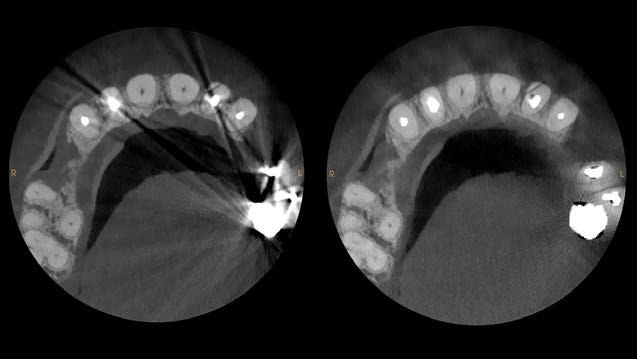
CS MAR metal artefact reduction on the CS 9600, shown with and without the filter

Less metal scatter

Full-arch patients often arrive with crowns, posts and old implants. CS MAR reduces the artefacts and lets you compare with and without the filter.

  • 120 kV with Stellar filtration (option). Cuts beam hardening and improves contrast without raising the dose.
  • 75 µm resolution. Root canal anatomy, fine fractures and periapical lesions show clearly.
  • Single-touch repeat scans. The unit stores each patient’s settings, so a follow-up scan matches the first.
  • Low-dose modes. For 2D and 3D, so you can keep exposure as low as the task allows.
Carestream CS 9600 touch screen showing live camera positioning of a patient

Live camera positioning on the CS 9600 touch screen.

Choose your edition

Three CS 9600 editions. One upgrade path.

Every edition shares the same hardware and image quality. A larger field of view is a software licence, so you can start where you are and grow.

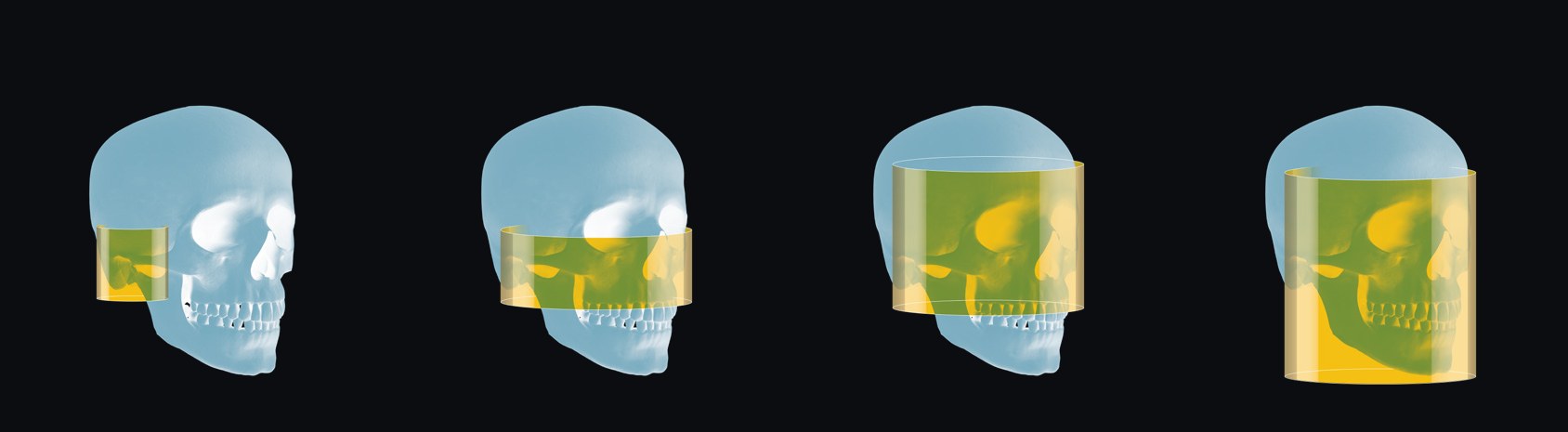
Carestream CS 9600 fields of view shown on a skull: 6 x 6, 16 x 6, 16 x 12 and 16 x 17 cm
6 × 6 cm16 × 6 cm16 × 12 cm16 × 17 cm

CS 9600 12×10 edition

12 × 10 cm

10 fields of view, from 4 × 4 cm

  • 2D panoramic and CBCT
  • 75 µm resolution
  • AI Live Positioning Assistant
  • Integrated retractable seat

Best suited toGeneral dentistry, implants, endodontics, periodontics, oral surgery

Get a quote

Most popular · CS 9600 16×10 edition

16 × 10 cm

12 fields of view, from 4 × 4 cm

  • Everything in the 12×10
  • Full-arch and sinus coverage
  • Optional CS Face Scan and ceph arm
  • Upgrades to 16×17 by software

Best suited toFull-arch implants, oral surgery, multi-specialty practices

Get a quote

CS 9600 16×17 edition

16 × 17 cm

14 fields of view, from 4 × 4 cm

  • Everything in the 16×10
  • Full craniofacial volume
  • Orthodontics, airway and ENT
  • Radiology and hospital workflows

Best suited toMaxillofacial surgery, orthodontics, ENT, radiology, hospitals

Get a quote

Not sure which you need? Call 01943 601222, read which CBCT suits your practice, or compare the Carestream range.

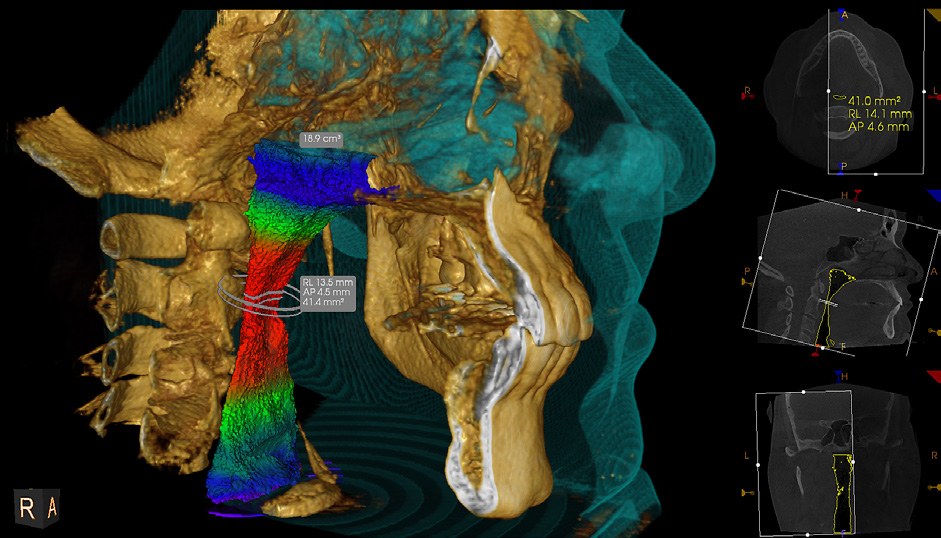
CS Airway 3D analysis on the Carestream CS 9600, showing the upper airway in colour with automatic measurements
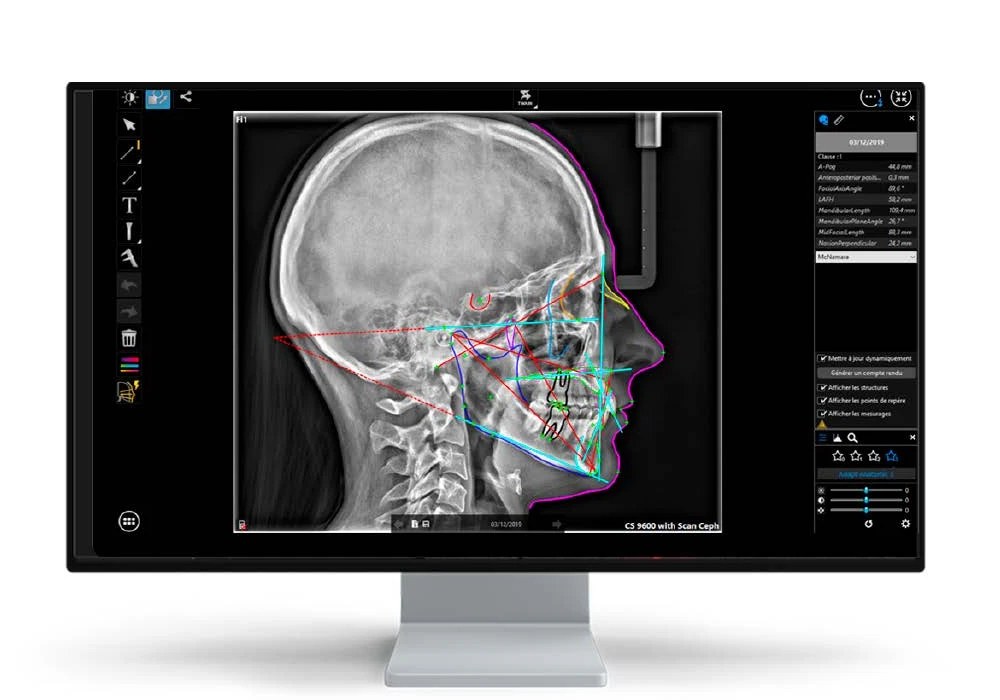
Cephalometric image with automatic tracing from the CS 9600 Scan Ceph module
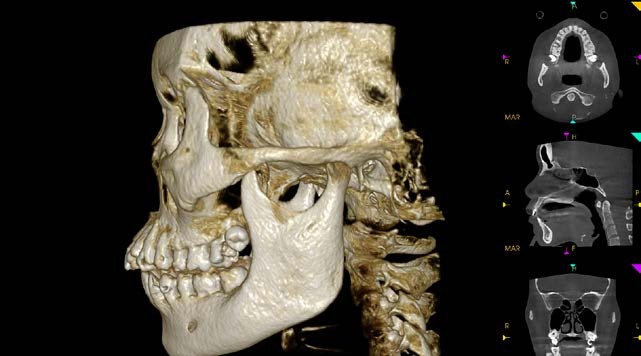
Full skull 3D render from a 16 x 17 cm Carestream CS 9600 CBCT scan
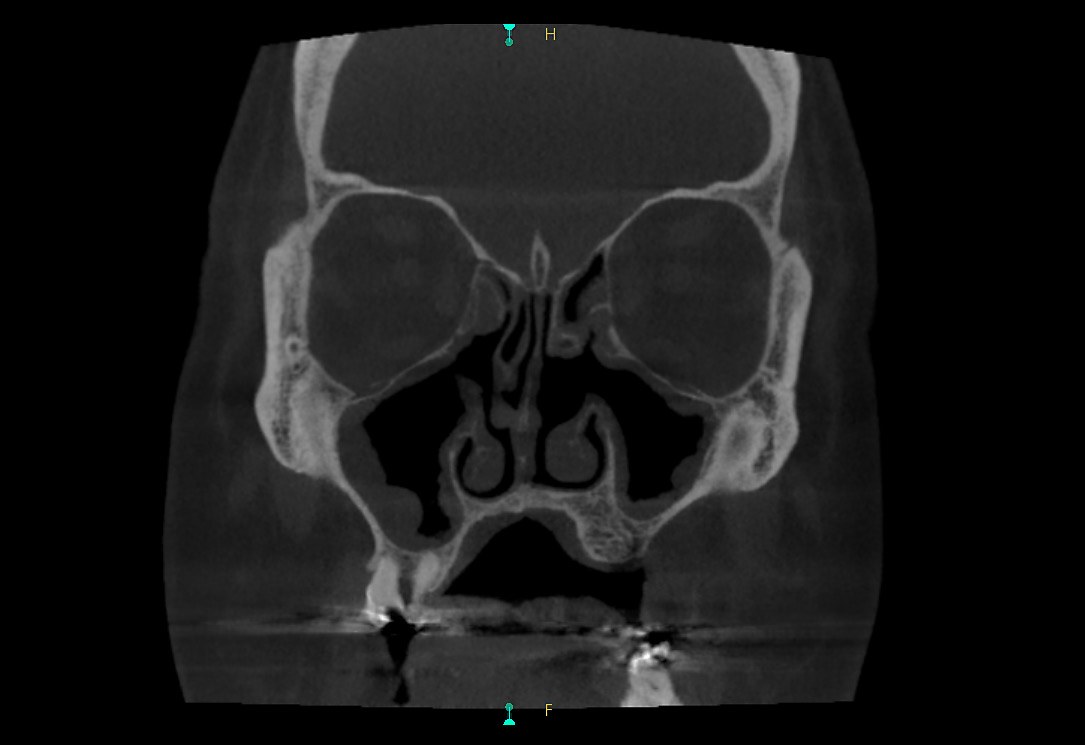
Coronal sinus CBCT image from the Carestream CS 9600

Airway analysis, ceph tracing, a full skull volume and a sinus scan, all from one machine.

Beyond implants

One machine for every referral.

If you take referrals, or have several clinicians under one roof, the CS 9600 covers the lot.

  • Orthodontics. Optional ceph arm with automatic tracing. Carestream says a full tracing takes about 10 seconds.
  • Endodontics. 4 × 4 cm scans at 75 µm for a single tooth.
  • Oral and maxillofacial surgery. Impacted teeth, cysts, and assessment before and after surgery.
  • Airway and TMJ. Optional CS Airway shows the upper airway in 3D with automatic measurements.
  • ENT and radiology. Sinus and temporal bone imaging, with full DICOM for RIS and PACS. Carestream reports up to 77% less dose than conventional CT for a sinus exam.

Why buy from 360 Visualise

Anyone can sell you a CS 9600. We use one.

A CS 9600 runs our own scanning clinic. We scan patients on it, so we install it, train on it and support it as people who know it clinically.

We use it every day

We know what it can do because we scan patients on it.

Your own field engineer

Positioning, IT set-up, calibration and handover, then on call when you need them.

RDN-led training day

A full day at your practice with a Registered Dental Nurse who uses the CS 9600 clinically.

Free room planning

We visit, assess the room, and plan the electrics, lead lining and radiation safety before you commit.

Best Price Guaranteed

Find a genuine like-for-like quote from another authorised UK supplier and we will beat it.

Your own WhatsApp group

From your first enquiry: your account manager, engineer and trainer in one group.

CS 9600 practices we look after: Evo Dental, four sites · Alban City Dental Care · all customer stories

Technical specifications

CS 9600 specifications

Fields of view
Up to 14, from 4 × 4 cm to 16 × 17 cm
Voxel size
75 µm minimum
Tube voltage
60–90 kV, or 60–120 kV (option)
Tube current
2–15 mA
3D exposure time
5.5 to 40 seconds
Panoramic exposure
0.5 to 13 seconds
Ceph exposure
2.96 to 10 seconds
Weight
210 kg, or 240 kg with ceph arm
Minimum room, no ceph
1,500 × 2,000 × 2,200 mm
Minimum room, with ceph
2,050 × 2,000 × 2,200 mm
DICOM
RIS, PACS and print
Software
CS Imaging 8 and CS 3D Imaging

Paying over time? We arrange finance with Bramar, Performance Finance or Aspired Finance. Your whole team also gets our Level 1 online CBCT course free. See what a CBCT really costs in the UK.

Questions dentists ask us

Carestream CS 9600 FAQs

Which CS 9600 edition do I need for full-arch implant cases?

Most implant and full-arch practices choose the 16×10 edition. It covers both arches and the sinuses in one scan. If you later need the full 16×17 cm volume for maxillofacial, orthodontic or airway work, you unlock it with a software licence.

What is CS Face Scan?

CS Face Scan is an option that captures a realistic 3D image of the patient’s face and overlays it on the CBCT. You and your patient see the face, the bone and the planned teeth together.

What is the difference between the CS 9600 and the CS 8200 3D?

The CS 9600 is Carestream’s flagship. It goes up to a 16×17 cm field of view, runs at up to 120 kV, has AI positioning and a built-in seat, and can add 3D face scanning. The CS 8200 3D is a compact unit that goes up to 12×10 cm as standard, with a 16×10 cm option. It suits most general and implant practices. See the CS 8200 3D page to compare.

Can I upgrade the field of view later?

Yes. All three editions use the same hardware. You can move from 12×10 to 16×10, and from 16×10 to 16×17, with a software licence. There is no hardware change.

Do I have to report the whole scan on a large field of view?

Yes. Whatever is in the volume needs to be looked at and reported, which is why you should choose the smallest field of view that does the job. Your whole team gets our Level 1 online CBCT course free, and our Level 2 course with Dr Ed Walker covers reporting in depth.

How much room does a CS 9600 need?

Without a ceph arm, the minimum room is 1,500 × 2,000 × 2,200 mm. With a ceph arm, it is 2,050 × 2,000 × 2,200 mm. We offer free room planning before you commit.

Is the CS 9600 good for endodontics?

Yes. It scans small fields of view at a 75 µm voxel size, which shows canal anatomy, fractures and periapical lesions clearly. CS MAR reduces artefacts from posts and crowns. See our endo CBCT guide.

How much does a Carestream CS 9600 cost?

It depends on the edition and options, such as a ceph arm or face scan, so we give you an all-in quote including installation, training and warranty. Finance is available. Our CBCT cost guide explains what a ready-to-scan price should include.

Can I see a CS 9600 working before I buy?

Yes. Book a demo at our scanning centre and see the CS 9600 scanning live. Call 01943 601222 or send us a message.

Scroll to Top